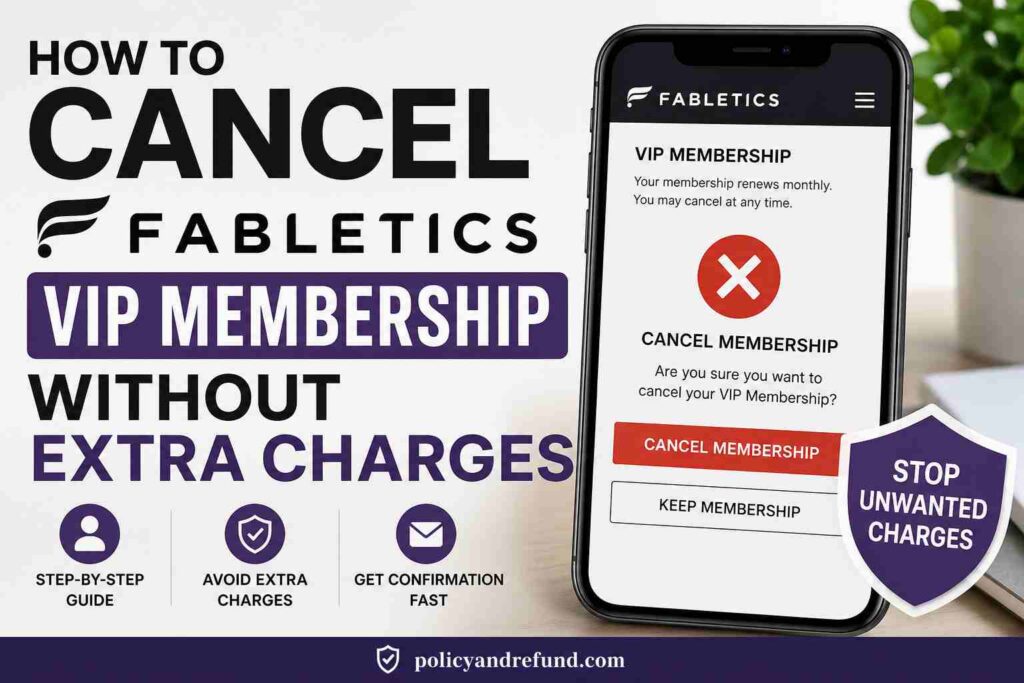
- Quick Summary
- How to Cancel Fabletics Membership on iPhone
- Step 1: Open Settings
- Step 2: Tap Your Apple ID
- Step 3: Select “Subscriptions”
- Step 4: Cancel Subscription
- Troubleshooting
- How to Cancel Fabletics Membership on Android
- Step 1: Open Google Play Store
- Step 2: Tap Your Profile Icon
- Step 3: Open “Payments & Subscriptions”
- Step 4: Cancel Fabletics
- If You Don’t See Fabletics
- How to Cancel Fabletics Membership on Desktop
- Step 1: Log Into Your Account
- Step 2: Open Account Settings
- Step 3: Find “Cancel Membership”
- Step 4: Complete the Cancellation Flow
- Step 5: Save Proof
- What to Do if the Cancel Button Is Missing
- Cancel Fabletics Membership by Phone
- Customer Service Number
- Before You Call
- What to Say
- Important Tips
- Cancel Fabletics Membership by Live Chat or Email
- Fabletics Cancellation Policy
- Before You Cancel Your Fabletics Membership
- Use Your Credits First
- Download Receipts
- Check Payment Methods
- Having Trouble Canceling?
- Fabletics Membership Plans and Pricing
How to Cancel Your Fabletics Membership Subscription Today
If you’re searching for how to cancel Fabletics membership, this guide explains the fastest ways to stop the $59.95 monthly VIP charge and avoid unexpected renewals.
Fabletics launched in 2013, and its VIP membership currently costs $59.95 per month. That adds up to about $719.40 per year if you keep the subscription active.
Your subscription may be billed through:
- Apple App Store
- Google Play Store
- Directly through the Fabletics website
The cancellation method depends on where you originally subscribed.
Quick Summary
- If you subscribed through Apple, cancel in your iPhone subscription settings.
- If you subscribed through Google Play, cancel inside the Play Store.
- If you signed up directly on the Fabletics website, cancel from your account dashboard, live chat, or customer support phone line.
Fabletics users have reported surprise charges and difficulty canceling before the monthly billing deadline. The company usually charges VIP members on the 6th of each month, so cancel before the 5th to avoid the next fee.
How to Cancel Fabletics Membership on iPhone
If Apple handles your billing, you must cancel through your Apple ID subscriptions.
Step 1: Open Settings
Tap the Settings app on your iPhone.
Step 2: Tap Your Apple ID
Tap your name at the top of the screen.
Step 3: Select “Subscriptions”
Open Subscriptions to view active App Store memberships.
If Fabletics appears there, Apple is billing you.
Step 4: Cancel Subscription
Tap Fabletics → Cancel Subscription → confirm cancellation.
Your membership usually remains active until the current billing cycle ends.
Troubleshooting
If you don’t see Fabletics listed:
- Check other Apple IDs you may have used
- Review your App Store purchase history
- Search your email for Apple billing receipts
Apple normally sends a confirmation email after cancellation. Save it for your records.
How to Cancel Fabletics Membership on Android
If your subscription is billed through Google Play, you can cancel directly from the Play Store.
Step 1: Open Google Play Store
Launch the Play Store app.
Deleting the Fabletics app alone will not stop billing.
Step 2: Tap Your Profile Icon
Tap your account icon in the top-right corner.
Step 3: Open “Payments & Subscriptions”
Go to:
Payments & subscriptions → Subscriptions
Step 4: Cancel Fabletics
Select Fabletics and tap:
Cancel subscription
Follow the prompts to confirm.
If You Don’t See Fabletics
Try these fixes:
- Switch to another Google account
- Check Google Play purchase history
- Review PayPal or bank recurring payments
Google usually emails a cancellation receipt after the process is complete.
How to Cancel Fabletics Membership on Desktop
For members who signed up directly on the website, desktop cancellation is usually the easiest method.
Step 1: Log Into Your Account
Visit:
Fabletics Website
Sign in using the email linked to your VIP membership.
Step 2: Open Account Settings
Click your profile icon and open:
- My Account
- Account Details
- VIP Membership
Step 3: Find “Cancel Membership”
Scroll until you see Cancel Membership.
Do not confuse it with “Skip the Month,” which only pauses billing temporarily.
Step 4: Complete the Cancellation Flow
Fabletics may offer:
- Discounts
- Credits
- Pause options
- Retention offers
Continue through the prompts until you receive a final confirmation.
Step 5: Save Proof
After canceling:
- Screenshot the confirmation page
- Save confirmation emails
- Keep any reference number or chat transcript
What to Do if the Cancel Button Is Missing
Some users report difficulty finding the cancellation option.
Try these fixes:
- Use a desktop browser instead of mobile
- Open the site in Incognito or Private Mode
- Clear browser cache and cookies
- Switch browsers
If the option still doesn’t appear, contact customer support through live chat or phone.
Cancel Fabletics Membership by Phone
Calling customer support can sometimes be faster than using the website.
Customer Service Number
1-844-322-5384
Verify the number on the official website before calling.
Before You Call
Have these ready:
- Account email
- Full name
- Last 4 digits of your payment card
What to Say
Hello, I want to cancel my Fabletics VIP membership permanently for the account linked to [your email]. Please process the cancellation immediately and send a confirmation email or reference number.
Important Tips
During the call:
- Ask for the agent’s name
- Request a cancellation reference number
- Write down the date and time of the call
Keep all records in case you need to dispute future charges.
Cancel Fabletics Membership by Live Chat or Email
If you prefer written proof, live chat is often the best option.
Use the support chat on the official website and request confirmation before ending the conversation.
You can paste this message:
Please cancel my Fabletics VIP membership associated with [your email]. Kindly confirm the cancellation and provide a reference number by email.
Afterward:
- Save screenshots
- Download chat transcripts
- Check spam folders for confirmation emails
Fabletics Cancellation Policy
Fabletics allows members to cancel anytime without a cancellation fee.
However, timing matters.
To avoid the next monthly VIP charge, you usually need to cancel before the 5th of the month.
If you cancel after the billing date:
- You may still be charged for that month
- Refunds are rarely issued
- You usually keep the member credit already charged
Example:
If you cancel on the 6th, you may still receive the $59.95 VIP member credit for that month, but the charge likely will not be refunded.
Always request written confirmation immediately after canceling.
Before You Cancel Your Fabletics Membership
Use Your Credits First
Unused member credits may become inaccessible after cancellation.
Spend available credits before ending your membership.
Download Receipts
Save:
- Order history
- Billing receipts
- Confirmation emails
These documents may help with disputes later.
Check Payment Methods
Review:
- PayPal recurring payments
- Afterpay billing
- Bank auto-payments
Some recurring charges continue through third-party billing systems.
Having Trouble Canceling?
If your cancellation won’t go through, try these solutions:
- Switch from mobile to desktop
- Enable “Desktop Site” in your browser
- Clear browser cache
- Use another browser
- Cancel through Apple or Google if applicable
If the issue continues:
- Contact support again
- Ask for a supervisor
- Keep screenshots and timestamps
If you are charged after cancellation, use your saved confirmation when disputing the charge with your bank.
Fabletics Membership Plans and Pricing
| Plan | Monthly Cost | Features |
|---|---|---|
| VIP Membership | $59.95 | Monthly member credit, discounted pricing, free shipping offers |
| Guest Account | Free | No monthly fee, but no VIP discounts or credits |
VIP members can save on purchases, but the monthly charge adds up quickly if unused.
At $59.95 per month, the yearly cost is approximately:
59.95 \times 12 = 719.40
Always review current pricing and terms on the official website since policies can change.